Plans and billing
All users Group adminsInOrOut combines group-level Pro and Business subscriptions with a user-level Coach Pass.
Current plans
| Product | Monthly | Annual |
|---|---|---|
| Pro | $2.99 | $29.99 |
| Business | $5.99 | $59.99 |
| Coach Pass | $6.99 | $69.99 |
| Coach Pass+ | $14.99 | $149.99 |
Prices are shown in US dollars here as a guide. In the app you always see the price in your own currency, taken straight from the App Store or Google Play, and that is what you are charged.
What each plan changes
Free Pro Business- Free limits team count, members, active sessions, recurrence, chat history, and advanced planning features.
- Pro unlocks private groups, auto-accept join requests, managed members, full recurrence, event copy, decision deadlines, guests at events, announcements, polls, activity planning with member planning lists, calendar subscriptions, time off, and your own profile picture.
- Business unlocks unlimited usage plus attendance confirmation, QR and live check-in, doors-open times, prize draws, waiting lists, private sessions and activities, venues from the calendar feed, recurring activity planning, unlimited member planning lists, poll extras, the Forum, member visibility controls, custom profile branding, automatic translation (announcements, events and their occurrences, the team’s description and link captions, activity plannings and their date options, polls with their questions and answer options, and Forum topics and posts), and team and activity planning analytics.
Feature comparison
The matrix below compares the effective group plan. Coach Pass applies the Pro row to every group you admin and removes the two-group admin limit. Coach Pass+ applies the Business row to every group you admin and also unlocks coach analytics. See Teams and groups and Analytics.
| Feature | Free | Pro | Business | Documented in |
|---|---|---|---|---|
| Groups you can admin | 2 free (Coach Pass: unlimited; teams on their own plan don’t count) | 2 free (Coach Pass: unlimited; teams on their own plan don’t count) | 2 free (Coach Pass: unlimited; teams on their own plan don’t count) | Plans and billing |
| Private groups | No | Yes | Yes | Teams and groups |
| Private sessions and activities | No | No | Yes | Events and attendance |
| Doors open: say when the venue opens, and open check-in then | No | No | Yes | Events and attendance |
| Auto-accept join requests | No | Yes | Yes | Teams and groups |
| Members per group | 10 | 20 | Unlimited | Teams and groups |
| Managed members | Not available | 5 per group | Unlimited | Teams and groups |
| Active events per group | 2 | 10 | Unlimited | Events and attendance |
| Guests at events | No | Yes | Yes | Events and attendance |
| Max guests per member (per event) | Not available | Configurable 0-9 (2 when turned on) | Configurable 0-9 (2 when turned on) | Events and attendance |
| Custom reminders per event | 1 | 2 | 5 | Events and attendance, Notifications |
| Advanced recurrence | Weekly and biweekly only | Full recurrence | Full recurrence | Events and attendance |
| Decision deadlines | No | Yes | Yes | Events and attendance, Teams and groups |
| Waiting lists | No | No | Yes | Events and attendance |
| Event copy and occurrence overrides | No | Yes | Yes | Events and attendance |
| Chat history | 14 days | Full (12 months) | Full (12 months) | Chat and announcements |
| Group announcements | Not available | Included | Included | Chat and announcements |
| Activity planning | Not available | 3 active plannings per group | Unlimited | Activity planning |
| Recurring activity planning from a session or a calendar feed | Not available | Not available | Included | Activity planning |
| Member planning lists | Not available | 5 per group | Unlimited | Activity planning |
| Polls | Not available | Included | Included | Polls |
| Poll extras: several questions, anonymous answers, live presentation, export | Not available | Not available | Included | Polls |
| Forum: members submit questions and suggestions, admins curate, the team upvotes | Not available | Not available | Included | Forum |
| Calendar subscriptions | Not available | 3 subscriptions per group | Unlimited | Calendar subscriptions |
| Venues from the calendar feed | Not available | No | Yes | Calendar subscriptions |
| Team analytics and CSV export | Not available | Not available | Included | Analytics |
| Activity planning analytics | Not available | Not available | Included | Analytics |
| Cross-team coach analytics | Not available | Not available | Coach Pass+ only | Analytics |
| Attendance confirmation | Not available | Not available | Included | Events and attendance |
| QR and live check-in | Not available | Not available | Included | Events and attendance |
| Prize draws | Not available | Not available | Included | Prize draws |
| Hide the member list or event participants | Not available | Not available | Included | Teams and groups |
| Custom profile and branding: uploaded image, Discover banner, and links | Not available | Not available | Included | Teams and groups |
| Automatic translation: announcements, events and their occurrences, the team’s description and link captions, activity plannings and their date options, polls with their questions and answer options, and Forum topics and posts | Not available | Not available | Included | Chat and announcements |
| Time off | Not available | Included | Included | Profile and security |
| Custom avatar | Not available | Included | Included | Profile and security |
Pro and Business subscriptions versus Coach Pass
- A Pro or Business subscription belongs to a specific group.
- A Coach Pass belongs to a user and affects every team that user admins.
- The app uses the highest available tier when both exist.
The number of teams you can administer is a user-level limit. Pro and Business subscriptions do not raise it. Coach Pass does.
Manage a group subscription
- Open a group and go to its subscription screen.
- Compare the Free, Pro, and Business tier cards for that specific group.
- Upgrade or change the current tier from the same screen.
- Use the cancel action there as well when the group should stop using its paid group plan.
The current tier card is marked clearly, and any change here affects only that one group.
Transfer billing responsibility
If another admin should take over the paid group plan, transfer the subscription to an existing admin in the same group. This changes who owns the subscription record without changing the group’s current tier.
The store charges whoever bought the plan, and only they can cancel it, in the App Store or Google Play. If that person is demoted, removed, blocked or leaves the group, the group keeps its plan and the store keeps charging them until they cancel. Deleting the group does not cancel it either. The app says so in each of those confirmations, naming who is still being charged.
Manage Coach Pass across groups
- Open the Coach Pass screen from the home overflow menu or from a coach-analytics redirect.
- Choose Coach Pass for Pro-level admin coverage across your groups or Coach Pass+ for Business-level admin coverage plus coach analytics.
- Cancel from the same screen when you no longer want a user-level coach plan.
Coach Pass affects only groups where you are an admin. It does not change groups where you are only a member.
If you reinstall the app or sign in on a new device and your Coach Pass does not appear, use Restore Purchases on the same screen. It re-reads what the App Store or Google Play has on file for your store account and reapplies it. The app confirms when purchases are restored, and tells you when there was nothing to restore — which usually means the purchase was made with a different store account than the one signed in on the device.
group-subscription-android.pnggroup-subscription-ios.png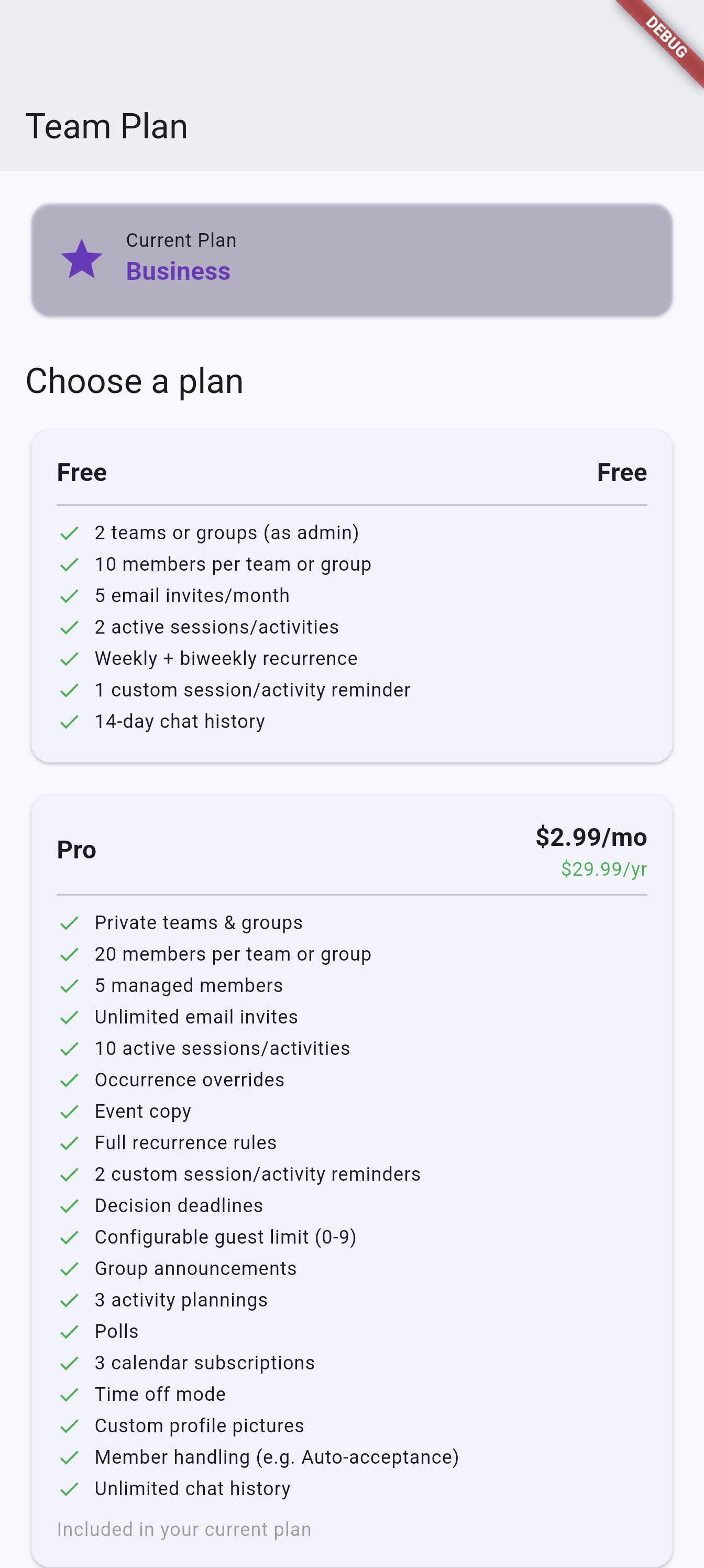
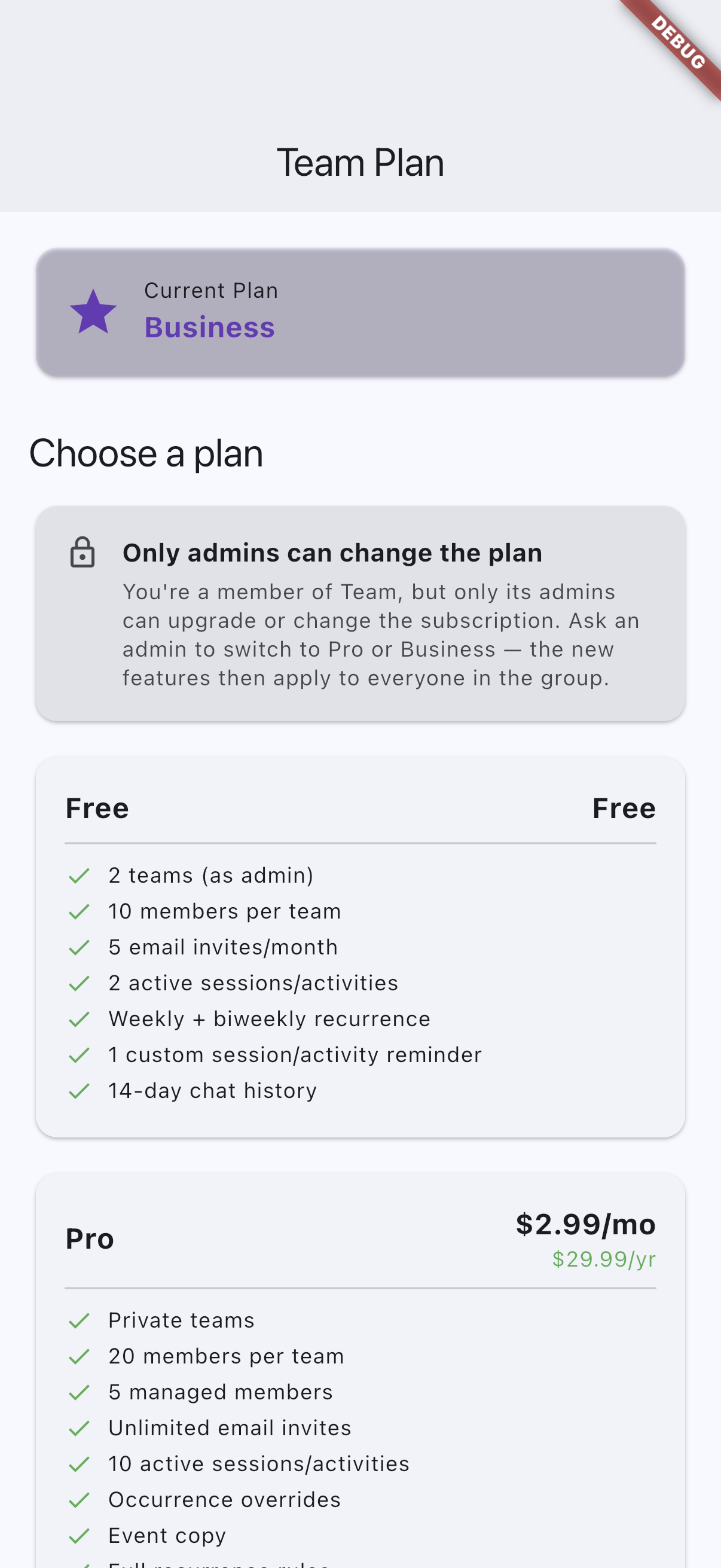
Recommended capture: the group subscription screen with the current tier card and the Free, Pro, and Business comparison visible.
coach-pass-android.pngcoach-pass-ios.png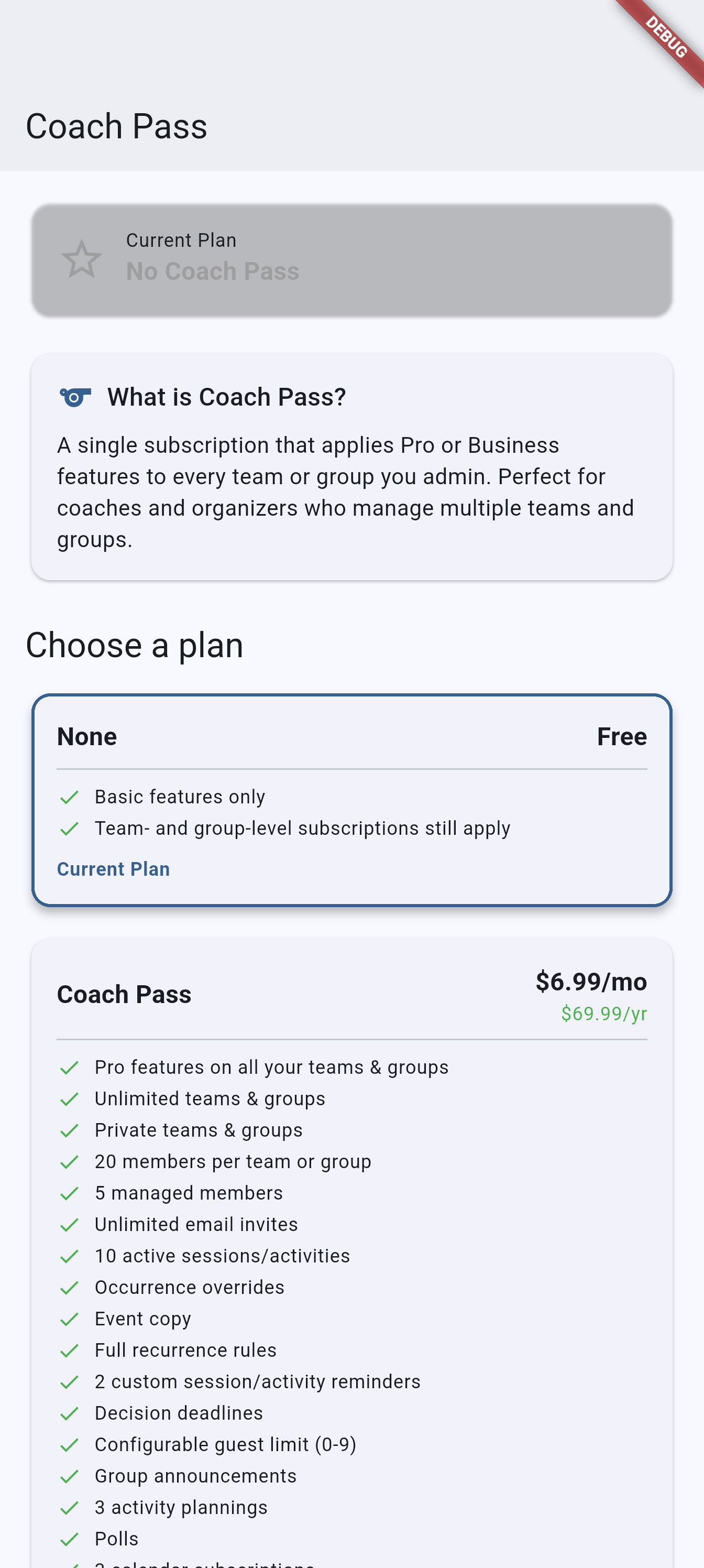
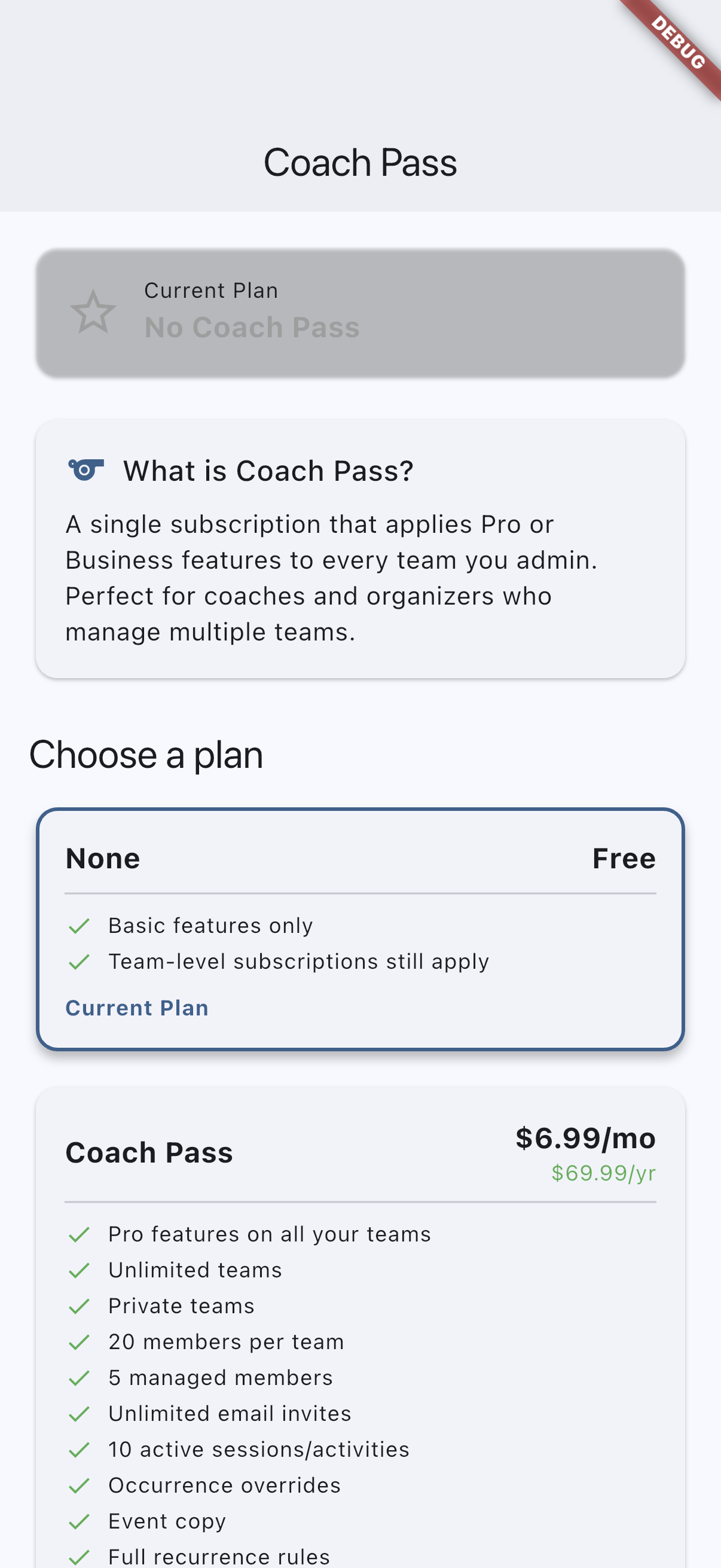
Recommended capture: the Coach Pass screen showing the current subscription state and available purchase options.
Related pages
- Teams and groups for the group settings and admin surfaces affected by the active plan.
- Analytics for the team and coach analytics paths that depend on tier.
- Activity planning for one of the advanced planning features unlocked on paid group plans.
- Calendar subscriptions for another admin feature gated by Pro and Business.